pink yellow red

BLOG & NEWS

Share Dialog - Edit

New Shareable Tab URLs Send Users Straight to Your Facebook Page Tabs

March 13, 2012

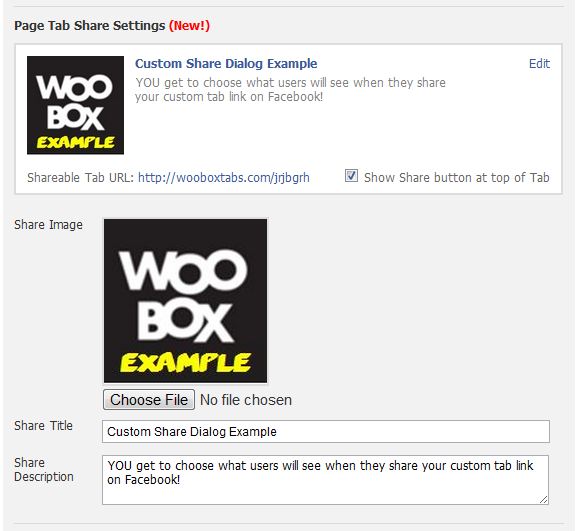
With the new Timeline for Facebook Pages, you’ve lost the ability to set default landing tabs.  This makes it more important to drive users directly into your FanGate tabs and we’re announcing a feature to do just that.  Every Woobox HTML Page Tab now has its own unique shareable URL to bypass the Timeline and take a user straight into a tab.  Unlike Facebook’s long tab URLs, Woobox tab URLs let you customize your Open Graph data to select a title, description, and image for each page tab.
All Woobox HTML Tabs now have Shareable Tab URLs
Have you ever tried to share a Facebook tab URL? By default, when users share a Facebook page tab’s URL (using the old, inconvenient copy & …

Read More >
Preview Mode from Woobox Account

Preview Mode Lets You Test & Try Woobox Free

November 14, 2011

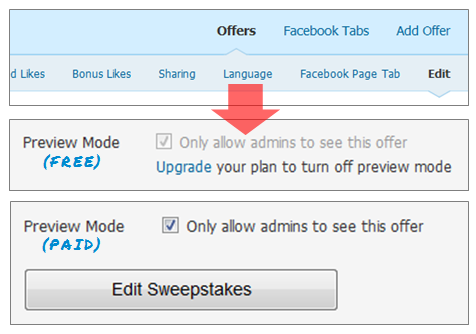
A lot of requests have been coming in recently for the ability to preview offers before making them available to the public.  So, naturally, we added a Preview Mode – to everything!  This means you now have the option to set up an offer and do a test-run on your Facebook Page tabs before you actually make it go live!
No more worrying about fans visiting a page tab that is still a work in progress, or Sweepstakes entries to a contest that isn’t supposed to start yet – just keep it all hidden from the public eye (visible by admins only) until you’re ready to unveil your next masterpiece!  Check it out in your Woobox Promotions Manager.
Change Preview Mode options …

Read More >
Lock Admin Access to Tab Settings

Lock Admin Access to Custom Tabs

November 9, 2011

Do you have multiple administrators on your Facebook Page, but want/need to restrict who has full access to admin privileges? Well, you’re in luck because the Woobox Custom Tab App for Facebook now offers a quick and easy solution!
Access to your page’s Tab Settings can now be limited to selected individuals – meaning you have the option to “lock” your tabs so that only a single admin has the ability to see and change its settings.  All it takes is a couple clicks and you can be the sole administrator of your custom tab.  Check out this new feature and more on your Facebook page’s custom tab today!  If you aren’t using our free custom page tab app, you can …

Read More >
FormGate Page Example

FormGate: Custom HTML Forms for your Facebook Page Tabs

October 25, 2011

Earlier this year, we introduced a feature called FriendGate for Custom Tabs, and this week we’re happy to announce another gating option: FormGate.  This new feature allows you to require visitors to complete an input form before accessing your tab content.  It can be used with or without turning on FriendGate and/or FanGate.   We’re offering FormGate for Free through November 2011.  Afterwards it will be part of the Woobox Plus plan.

You can create your FormGate page from the Tab Settings of your custom tab.   Form inputs are entered using HTML, but can be customized using the WYSIWYG Editor.  As with many of our apps and features, FormGate collects and stores the submitted data for you.  You can view a …

Read More >

Facebook Bug: Your FanGate may be broken!

August 15, 2011

There is a new Facebook bug that has changed the behavior of FanGates for the default landing tab.   If you use the Default Landing Tab setting on your Facebook page and show non-fans different content on your tab this bug is affecting you.
Normally, when non-fans visit your Facebook page, they will automatically be sent to the page tab you have set as your Default Landing Tab.  When visitors press your Like button, Facebook would refresh the page and send the user back to the same default landing tab where using a tab app like the Woobox Custom Tab you could show them fan-only content.  The new Facebook bug #19778 breaks this process.  Instead of taking the new fan back to your default …

Read More >