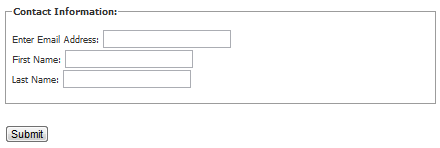
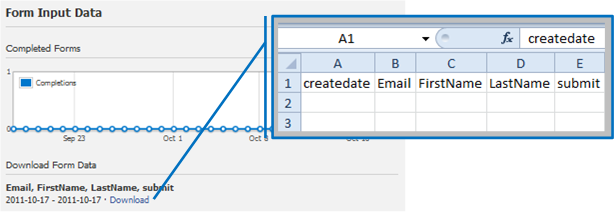
 You can create your FormGate page from the Tab Settings of your custom tab. Form inputs are entered using HTML, but can be customized using the WYSIWYG Editor. As with many of our apps and features, FormGate collects and stores the submitted data for you. You can view a graph that shows the number of completed forms per day directly from your Facebook page, or you can view all the data details in a spreadsheet program of your choice.
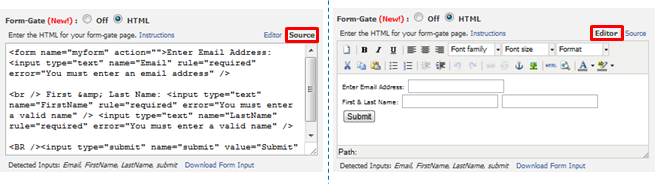
Some of you may be wary about the idea of writing your own HTML code, but you can use this step-by-step guide for using FormGate to collect user input from your Facebook page tab (this helpful link can also be found on the Tab Settings page of your custom tab). For more details about the different types of HTML input tags please see the HTML Forms and Input chapter by W3Schools.com.
If you haven’t checked out our Static iFrame Tab app yet, install it now for free. Or if you just haven’t used the app recently, go to your Facebook page and try out all the new features! Still want more info about FormGate? Keep an eye on the Woobox Blog for updates, email us, contact us on Facebook, or follow @wooboxapp on Twitter.




Build a campaign in seconds
Describe a giveaway, quiz, poll, survey, or coupon and Woobox launches a hosted, mobile-ready page in seconds. Free to start, no credit card.
Try Woobox free